In 2026, the smartest Phone Spare Parts purchases are not always the cheapest ones. A cracked display can make a phone difficult to use, while a worn battery may turn a reliable device into a daily frustration. The right choice depends on the model, the fault, and the part’s quality. Small details matter: connector shape, camera alignment, adhesive placement, and battery capacity. A part that looks correct may still perform poorly.
Industry data helps explain why repair deserves attention. The Global E-waste Monitor 2024 reported 62 million tonnes of electronic waste generated worldwide in 2022, with only 22.3% documented as formally collected and recycled. Meanwhile, IDC reported that global smartphone shipments rose 6.4% in 2024, reaching about 1.24 billion units. These figures do not prove that every repair is worthwhile. They do show the scale of device use and the waste challenge. European Union ecodesign rules for smartphones and tablets, applying from June 2025, also set requirements related to durability and spare-part availability. That is useful context, not a guarantee that every replacement part will fit or last. Check the exact model number, warranty terms, seller reputation, and repair instructions before buying. Genuine parts can cost more. Compatible parts vary. Batteries, screens, charging assemblies, and camera modules are common candidates, but the best buy is the part that matches the diagnosis. A careful check can save money. An uncertain diagnosis can waste it.
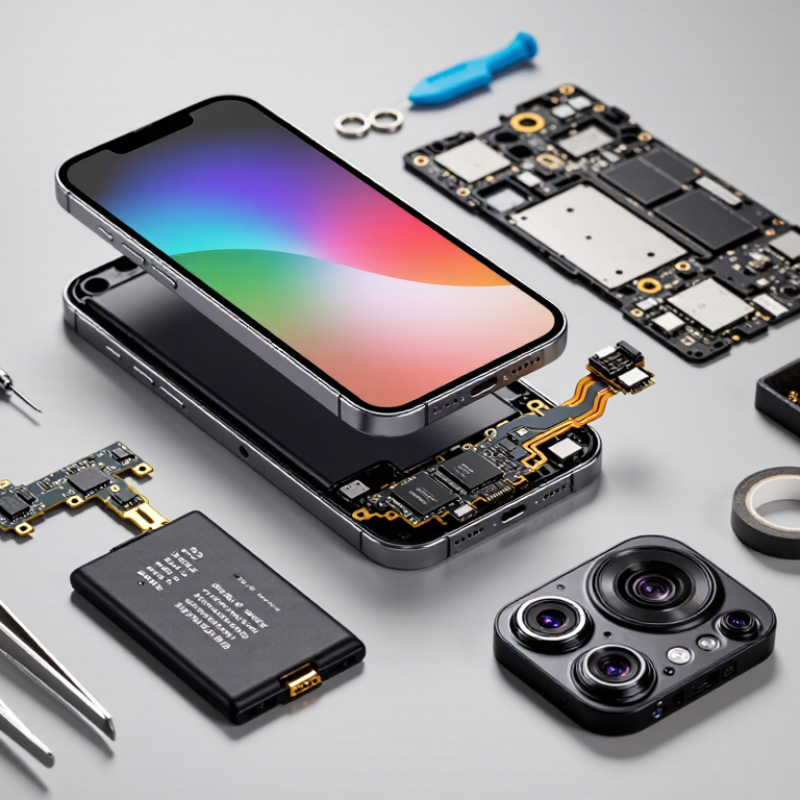
In 2026, screens, batteries, and charging ports remain common phone repair parts. A cracked display can make touch response unreliable, even when the glass damage looks minor. Replacement screens should match the phone’s exact model and support its original functions, such as touch sensitivity and brightness adjustment. Check the part description carefully. A close-looking screen may still have the wrong connector.
Batteries lose capacity over time, while charging ports can collect lint or suffer wear from repeated plugging. Before replacing either part, a technician should check for simpler causes, including a damaged cable or obstructed port. Small parts matter. Cameras, earpieces, loudspeakers, and side-button flex cables may also need replacement after drops or moisture exposure. The symptoms can overlap, so testing helps prevent unnecessary repairs.
Back covers, seals, screws, and adhesive strips are easy to overlook when ordering supplies. Yet worn seals or missing screws can leave a device poorly fitted after reassembly. Choose parts with clear compatibility details and return options, and inspect them for bent contacts or uneven edges before installation. It is tempting to stock every component, but that ties up money. A repair shop may do better tracking which parts it actually uses most. Repair outcomes still depend on the device’s condition and careful workmanship.

Replacement patterns differ by phone type, age, and how the device is used. On standard smartphones, screens and batteries are common service needs. A cracked corner can spread across the display, while battery capacity often fades after years of daily charging. Charging ports also wear down, especially when cables are pulled sideways.
Budget phones often need screens, batteries, and charging-port assemblies, but exact demand varies by model. Small camera-cover glass can crack after a short drop, even when the camera still works. Older phones may need buttons or speakers, though compatible parts can become harder to source. That matters. A screen that looks identical may have a different connector.
Foldable phones can require specialized display or hinge-related parts, so repairs may call for careful diagnosis rather than quick replacement. Rugged phones more often need charging-port covers, button assemblies, or speaker components after exposure to dust and repeated handling. These are patterns, not guarantees. Repair shops can use their own service records to guide stock levels, then test each replacement part before installation. The occasional surprise still happens.
What Are the Top Phone Spare Parts to Buy in 2026?
A replacement part is only useful if it fits the exact phone variant. Check the model code in the device settings or on its original packaging, then compare it with the seller’s compatibility list. Similar names can hide different screen connectors, camera layouts, or frame sizes. Match the part number when available. A clear listing should identify what is included, such as adhesive strips or small screws. Photos help, but they cannot prove internal quality.
Inspect the part before installation. Look for bent connectors, uneven edges, loose components, or damaged protective film. For a display, check that the flex cable is clean and the glass has no chips along its edges. For a battery, avoid units with swelling, dents, or torn wrapping. Ask about testing procedures and return terms before ordering. Specifications are useful, though they do not guarantee a perfect fit. Even careful checks can miss a mismatch, so keep the original part until the replacement works.
Tips: Compare connector placement, not just appearance. Save the listing and packaging until testing is complete. If a part requires force to fit, stop and recheck compatibility. A rushed repair can damage a connector, and that is an easy mistake to regret.
| Spare Part | Common Replacement Need | Quality Checks | Device Compatibility Checks | Before Installation |
|---|---|---|---|---|
| Battery | Reduced runtime, unexpected shutdowns, or a battery that no longer holds charge. | Check for clear capacity and safety information, intact packaging, no swelling or physical damage, and a documented warranty. Avoid any battery that is bent, punctured, or unusually hot. | Match the exact device model and battery part number. Confirm the connector, dimensions, voltage, and capacity are specified for that device. | Power off the phone and follow the device-specific replacement procedure. Do not puncture or bend the battery; recycle the removed battery appropriately. |
| Display assembly | Cracked glass, dead pixels, touch problems, or display artifacts. | Inspect the panel and frame for cracks, scratches, uneven edges, and damaged flex cables. After fitting, test brightness, color, touch response, and all display areas. | Verify the exact model and revision, screen size, connector layout, frame shape, and supported features such as touch and fingerprint sensing. | Test the display connection before sealing the phone. Use device-appropriate adhesives and check that the frame is not bent. |
| Charging port or port assembly | Loose connections, intermittent charging, or a port that no longer transfers data reliably. | Check that the port is firmly mounted, contacts are clean and undamaged, and the flex cable has no creases or tears. Test charging and data transfer where supported. | Match the exact model, connector type, board layout, cable length, and assembly design. Some devices integrate the port with microphones or other components. | Inspect and clean the original port first; lint or debris can imitate a port failure. Disconnect the battery before internal repair. |
| Rear camera module | Blurry images, focus failure, camera errors, or a damaged lens assembly. | Check the lens for dust, scratches, or condensation and inspect the module and flex cable for damage. Test focus, image capture, and video after installation. | Match the exact model and camera position. Confirm the module, connector, lens alignment, and supported camera functions are specified for the device. | Keep dust away from the lens and sensor. Avoid touching optical surfaces and verify camera operation before closing the device. |
| Earpiece or loudspeaker | Low, distorted, or missing sound during calls or media playback. | Look for clean speaker mesh, intact contacts, and an undamaged housing. Test call audio, media playback, and microphone operation separately. | Confirm the exact model, speaker position, connector type, housing shape, and whether the part is an earpiece, loudspeaker, or combined assembly. | Check for blocked openings and software or settings issues before replacing hardware. Keep speaker mesh and acoustic seals correctly positioned. |
| Rear cover or back glass | Cracks, deep scratches, or damage that affects the enclosure seal. | Check the cover for chips, warping, clean edges, and correctly placed camera openings. Confirm that adhesive is suitable for the specific device. | Match the exact model, color if relevant, camera cutouts, dimensions, material, and wireless-charging features where applicable. | Remove broken pieces carefully and clear old adhesive. A replacement cover does not automatically restore the phone’s original water resistance. |
| Button or side-key flex cable | Power or volume buttons that stick, fail to click, or do not register presses. | Inspect the cable for tears, creases, and damaged contacts. Check that the button moves freely and responds consistently after fitting. | Match the exact model and side, cable routing, connector position, and button layout. Similar-looking flex cables may not be interchangeable. | Check for dirt or a misaligned case before replacing the part. Route the cable without pinching it during reassembly. |
In 2026, screens, batteries, charging ports, and cameras remain the most practical phone parts to compare. The choice between OEM and aftermarket depends on the repair, the device, and the supplier’s evidence. OEM parts are made to the original specifications, which can help preserve fit, touch response, and camera performance. Aftermarket parts vary more. Some meet tight standards; others may differ in brightness, battery capacity, or connector placement.
For a screen, check touch accuracy, color, brightness, and compatibility with features such as fingerprint readers. For a battery, look for clear capacity details, safety documentation, and a stated warranty. A low price alone tells you little. Ask whether the part has been tested and whether the seller accepts returns for defects. The labels are not perfect. An OEM part can still arrive damaged, and an aftermarket part can perform well when properly tested.
Before ordering, match the exact phone model and hardware revision. A connector that looks identical may not sit flush, and a slightly different screen frame can leave a visible gap. Keep the packaging and test the replacement before sealing the phone. Confirm the repairer’s experience with that part type, especially for delicate camera modules or batteries. Small checks matter. Repair conditions, tools, and installation skill also affect the result.
For 2026 repairs, buy from specialist parts distributors, established repair-supply marketplaces, or authorized channels where available. A low price is not proof of fit. Before paying, ask for exact model compatibility, part grade, warranty terms, return window, and defect policy. For screens and batteries, request clear photos of connectors and labels. Compare them with the part you removed. Keep the invoice and seller messages.
Check the seller’s business address, support contacts, and trading history independently. Use payment methods with dispute protection. For costly components, request a test video and confirm whether the listing describes an original, refurbished, or compatible part. Wording can be slippery.
UNITAR and ITU’s Global E-waste Monitor 2024 reports 62 million tonnes of e-waste generated in 2022. Only 22.3% was documented as formally collected and recycled. This supports repair and reuse, but it does not verify any seller’s quality.
The European Commission’s 2020 Special Eurobarometer 503 found that 77% of EU respondents preferred repairing goods rather than buying new ones. Treat this as consumer sentiment, not proof that every replacement part is dependable.
When details are missing, pause. I would.